


 by The Computing Australia Group |
 Cloud Migration
Migrating to the cloud has become a strategic priority for businesses of all sizes. As organisations increasingly embrace digital transformation, the cloud offers undeniable advantages – cost savings, agility, scalability, automation, and access to modern technologies such as artificial intelligence (AI), analytics, and high – performance computing.
This comprehensive guide-prepared with insights from our cloud consulting specialists in Perth – explores the most common cloud migration mistakes and provides clear, actionable steps to avoid them.
What Is Cloud Migration?
Cloud migration refers to the process of moving digital assets – including data, applications, servers, workloads, and IT processes-from on-premises or legacy environments to a cloud platform such as Microsoft Azure, AWS or Google Cloud.
Migration can occur in different ways:
- On-premises to cloud (full migration)
- Hybrid migration (some workloads remain on-premises)
- Multi-cloud migration (using multiple cloud providers)
- Cloud-to-cloud migration (moving from one platform to another)
- Reverse migration (cloud back to on-premises, though uncommon)
Why businesses migrate to the cloud
Companies increasingly prefer the cloud because it offers:
- Scalability: systems expand or shrink based on demand
- Cost savings: pay-as-you-go pricing reduces capital expenditure
- Improved performance: fast, global data centres
- Flexibility: support for remote and mobile teams
- Security enhancements: advanced controls and monitoring
- Automation and AI tools: streamline workflows and enable innovation
Yet despite these advantages, cloud migration is often more complex than expected. This is why many businesses experience avoidable challenges-especially without expert support.
Common Cloud Migration Mistakes (and How to Avoid Them)
Below are the most frequent pitfalls organisations encounter during cloud migration, along with strategies to overcome them.
1. Migrating Everything at Once
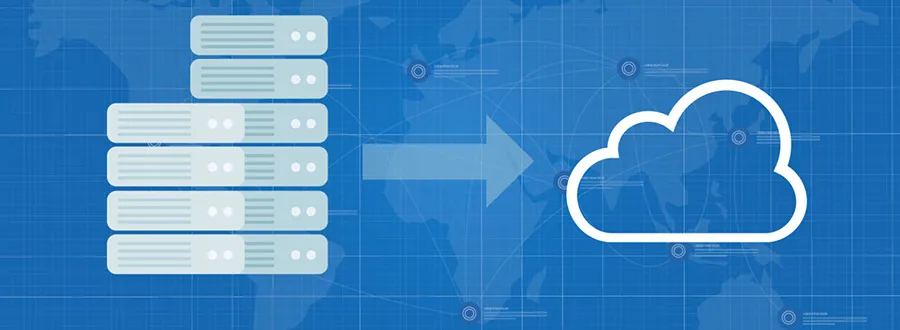
One of the biggest mistakes businesses make is attempting a full lift-and-shift migration in a single move. Although it seems faster, it often leads to:
- Unexpected downtime
- Configuration conflicts
- Overloaded networks
- Data corruption or loss
- Difficulty rolling back if something goes wrong
Large migrations involve many moving parts – dependencies, databases, APIs, workloads, and user access requirements. Without planning, these components can fail under pressure.
How to avoid it
Use a phased migration approach.
Start with low-risk, non-critical workloads.
Test with sandbox environments.
Validate performance and compatibility before moving production systems.
Migrate based on business priority.
Group workloads by complexity and dependency.
Create a rollback plan.
This staged strategy allows you to identify risks early and optimise your cloud environment before handling sensitive or mission – critical data.
2. Not Understanding Cloud Compatibility and Formats
Cloud platforms differ significantly in how they store data, run applications, manage workloads and define infrastructure. Moving from one environment to another without checking compatibility can result in:
- Applications not running efficiently
- Features behaving differently
- Data formats becoming corrupted
- Unexpected deployment failures
How to avoid it
Assess compatibility before migration.
Map out all integrations, services, APIs and dependencies.
Perform a cloud readiness assessment.
Identify gaps between your existing architecture and the destination environment.
Choose the right cloud model.
Not all workloads suit public cloud – some require hybrid or private environments.
Work with cloud specialists.
3. Not Reconfiguring Data and Applications Properly
Reconfiguration-or re-architecting – is one of the most overlooked aspects of cloud migration. Businesses often assume everything will work the same way in the new environment, but cloud platforms operate differently from traditional infrastructure.
Failing to reconfigure can result in:
- Poor performance
- Cost overruns
- Application failures
- Security vulnerabilities
- Integration issues
For example, legacy applications may require containerisation or code adjustments. Databases may need restructuring to support cloud – native features. Even IP address changes can break applications that rely on hardcoded settings.
How to avoid it
Conduct an application modernisation analysis.
Optimise configurations for cloud-native functionality.
Use autoscaling, caching, managed databases and container orchestration.
Review data storage structures.
Cloud environments may use object storage, block storage or SQL/NoSQL databases.
Document dependencies and integration points.
4. Poor Cost Calculation and Budgeting
Cloud computing is marketed as cost-saving – but only when managed correctly. Many organisations end up overspending due to poor planning.
Common cost mistakes include:
- Underestimating migration time and labour
- Ignoring data transfer costs
- Paying for unnecessarily high resource levels
- Running unused or idle cloud resources
- Misconfiguring storage classes
- Forgetting licensing fees for cloud-based tools
Some companies even pay more in the cloud than on-premises due to inefficient setups.
How to avoid it
Create a detailed cloud cost model.
Calculate migration costs, operational costs and ongoing utilisation fees.
Use cloud cost optimisation tools.
Providers offer cost calculators and monitoring dashboards.
Enable autoscaling and right-sizing.
Only pay for the resources you actually use.
Monitor usage after migration.
Set budgets and real-time alerts to track expenses.
Factor in indirect costs.
Examples: downtime, training, re-architecture, licences and support.
5. Neglecting Cloud Security During Migration
Security is often pushed aside during migration because teams focus on speed and technical execution. However, moving data between environments creates vulnerabilities such as:
- Data exposure during transfer
- Weak access controls
- Misconfigured security groups
- Unpatched workloads
- Inconsistent encryption policies
- Open ports and insecure endpoints
Cyber attackers often target organisations mid-migration, as this period presents the perfect opportunity for exploitation.
How to avoid it
Use a security-first cloud migration strategy.
Security should be embedded at every stage-from planning to cutover.
Encrypt data during transit and at rest.
This protects information even if intercepted.
Implement identity and access management (IAM).
Use MFA, least privilege and role-based access control.
Audit and patch systems before migration.
Outdated software is one of the largest risk factors.
Set up continuous security monitoring.
Real-time detection prevents breaches before they escalate.
Verify compliance requirements.
Cloud environments must align with industry standards like ISO 27001, GDPR and PCI DSS.
When security is prioritised early, cloud migration becomes significantly safer and more reliable.
6. Failing to Plan for Business Continuity and Disaster Recovery
Some businesses begin migration without considering what happens if:
- A critical workload fails
- There is an unexpected outage
- Data becomes corrupted
- A cyberattack occurs mid-migration
Without a tested disaster recovery plan, recovering from migration issues becomes extremely costly and time – consuming.
How to avoid it
Create a cloud-based disaster recovery (DR) strategy.
Define RPOs, RTOs and backup frequency.
Back up everything before migration.
This is non-negotiable.
Test restore procedures.
Backups are only valuable if you can recover from them quickly.
Use geo-redundant storage.
Ensures resilience in case of regional outages.
Document incident response steps.
Every team member should know what to do if something goes wrong.
Business continuity planning ensures your migration stays on track, even in worst-case scenarios.
7. Overlooking Governance, Compliance and Policy Management
Cloud migration introduces new governance challenges. Without proper controls, organisations may face:
- Shadow IT
- Unauthorised resource creation
- Compliance violations
- Data sovereignty issues
- Lack of audit trails
- Misuse of cloud services
Cloud platforms offer governance tools, yet many organisations fail to configure them correctly.
How to avoid it
Set up cloud governance frameworks.
Define policies for access, usage, storage, and monitoring.
Apply tagging standards.
This ensures cost tracking, compliance and resource visibility.
Document data governance rules.
Specify ownership, retention, privacy and access procedures.
Regularly audit cloud environments.
Check for misconfigurations and policy breaches.
Governance is essential for maintaining control, security and efficiency across cloud ecosystems.
8. Not Training Staff or Preparing Teams for the Cloud
Even the best migration strategy can fail if staff are not prepared. Teams may struggle with:
- New tools and interfaces
- Cloud security responsibilities
- Monitoring and resource optimisation
- New workflows and operational models
A lack of cloud awareness increases errors and reduces productivity.
How to avoid it
Provide cloud training and certification programs.
Upskill teams before and after migration.
Appoint internal cloud champions.
These leaders support long-term adoption.
Set clear responsibilities.
Define ownership for security, cost management and compliance.
Use documentation and SOPs.
Help teams navigate new cloud processes confidently.
Investing in cloud skills improves adoption, reduces downtime and increases ROI.
These are some of the most common cloud migration mistakes. Avoiding these mistakes can lead to a hassle – free migration experience. While moving to the cloud can be one of the best things that you do for your business, it is a technical process that is safer left to the professionals. Contact us or email us at helpdesk@computingaustralia.group to know how we can help you with a successful cloud migration for your business.
Jargon Buster
Cloud – A virtual server that can run and function as independent units in a cloud computing environment and can be accessed remotely.
Reconfiguring data – Changing the elements, formats, or aspects of data to suit another environment.

Chris Karapetcoff
FAQ
What is the biggest challenge businesses face during cloud migration?
The biggest challenge is managing the complexity of moving multiple interconnected systems to a new environment. Without proper planning, businesses risk downtime, compatibility issues, and data loss. A phased migration strategy and expert guidance help reduce these risks significantly.
How long does a cloud migration usually take?
Migration timelines vary depending on the size of the business, the volume of data, the number of applications involved, and the complexity of the existing infrastructure. Small migrations may take a few weeks, while enterprise-level projects can take several months when done correctly.
Can my business operate normally during cloud migration?
Yes – when migration is planned in stages. By moving non-critical data first and scheduling high-risk activities during low-traffic hours, downtime can be minimised. A professional migration team ensures operations remain stable throughout the transition.
How can I avoid unexpected cloud costs after migration?
Unexpected costs can be prevented by right-sizing resources, enabling autoscaling, removing unused workloads, and monitoring usage regularly. Creating a clear cost model before migration helps ensure the cloud environment stays within budget.
Can penetration testing reveal unknown vulnerabilities in legacy systems?
While small businesses may attempt simple migrations on their own, most organisations benefit from expert support. Professionals help ensure security, minimise downtime, configure applications correctly, and avoid costly mistakes that inexperienced teams often make.


